> ## Documentation Index
> Fetch the complete documentation index at: https://docs.letshum.com/llms.txt
> Use this file to discover all available pages before exploring further.
# Introduction
> Welcome to Hum — Connecting Residents with Internet Services
# The Hum Platform
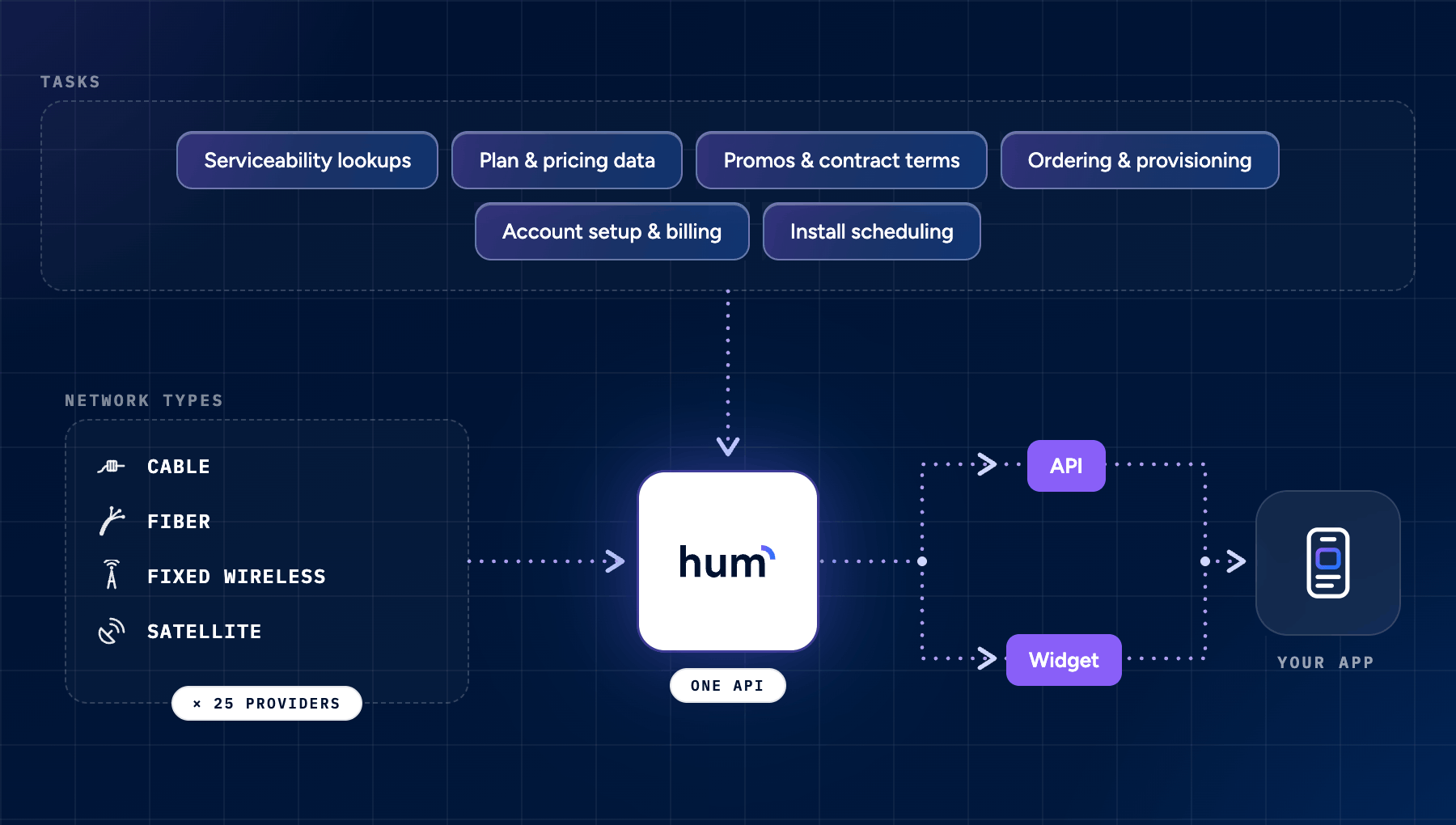
Hum makes it simple to connect residents with the internet services they need. Whether you're building a property management platform, a real estate application, or any resident-focused service, Hum helps you provide a seamless internet setup experience.
The partner API provides availability lookup and reporting. Residents place orders through the Hum widget checkout; the partner API does not provide an order-placement endpoint. Hum's [Broadband MCP](/mcp/overview) is a separate contract for AI agents and can support an authorized ordering workflow when that capability is enabled.
 ## What Hum Does
Moving into a new home comes with many tasks - setting up internet shouldn't be one of them. Hum eliminates the complexity and gets residents connected faster.
Hum streamlines the entire internet setup process by:
* Finding available internet services at any address
* Presenting clear, actionable service options
* Simplifying the signup process
* Getting residents connected faster
## How It Works
Behind the scenes, Hum uses intelligent automation to:
* Validate and standardize addresses for accurate service matching
* Find available internet service providers and their offerings
* Present up-to-date plans and pricing
* Guide residents through a smooth onboarding process
You can integrate these capabilities through our API, drop-in widget, or public MCP. Each surface has its own contract and status meanings.
## Integration Options
Choose the integration method that works best for your use case:
Get an API key and choose Sandbox or Production before you begin.
Add a ready-to-use interface with just a few lines of code. Ideal for quick implementation with minimal development effort.
Build a custom experience using our comprehensive API. Perfect for developers who need full control over the user interface and workflow.
Give an AI agent structured tools for availability, exact-offer validation, authorized submission, and recovery.
## Next Steps
Ready to get started? Follow these steps to begin integrating Hum:
1. [Get an API key and choose your environment](/environments)
2. Choose your preferred integration method from the options above
3. Start connecting your residents with the internet services they need
Once you complete these steps, you'll have everything needed to provide seamless internet service connections for your residents.
This documentation is built and hosted on [Mintlify](https://mintlify.com), a developer documentation platform.
## What Hum Does
Moving into a new home comes with many tasks - setting up internet shouldn't be one of them. Hum eliminates the complexity and gets residents connected faster.
Hum streamlines the entire internet setup process by:
* Finding available internet services at any address
* Presenting clear, actionable service options
* Simplifying the signup process
* Getting residents connected faster
## How It Works
Behind the scenes, Hum uses intelligent automation to:
* Validate and standardize addresses for accurate service matching
* Find available internet service providers and their offerings
* Present up-to-date plans and pricing
* Guide residents through a smooth onboarding process
You can integrate these capabilities through our API, drop-in widget, or public MCP. Each surface has its own contract and status meanings.
## Integration Options
Choose the integration method that works best for your use case:
Get an API key and choose Sandbox or Production before you begin.
Add a ready-to-use interface with just a few lines of code. Ideal for quick implementation with minimal development effort.
Build a custom experience using our comprehensive API. Perfect for developers who need full control over the user interface and workflow.
Give an AI agent structured tools for availability, exact-offer validation, authorized submission, and recovery.
## Next Steps
Ready to get started? Follow these steps to begin integrating Hum:
1. [Get an API key and choose your environment](/environments)
2. Choose your preferred integration method from the options above
3. Start connecting your residents with the internet services they need
Once you complete these steps, you'll have everything needed to provide seamless internet service connections for your residents.
This documentation is built and hosted on [Mintlify](https://mintlify.com), a developer documentation platform.